



Website Audit Checklist: 20 Checks a Buyer Makes
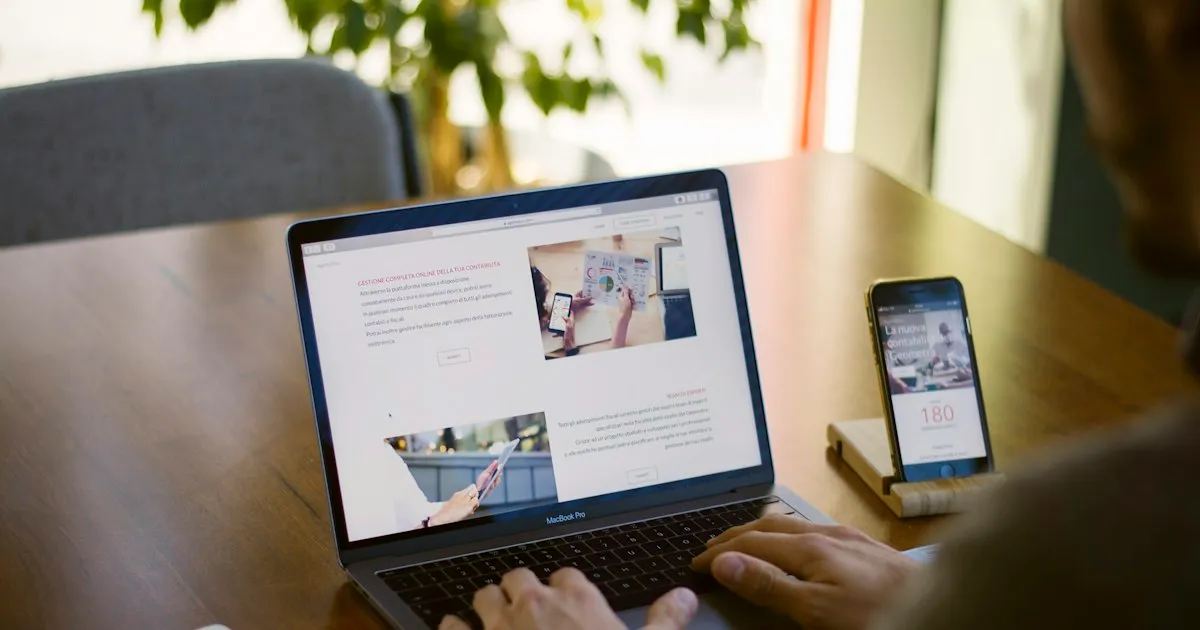
You know your site is supposed to bring in work. You don't know which part is letting buyers slip away. This website audit checklist walks the same five steps your buyer takes, so you can find the weak one.
Most website audit checklists are focused on a technical grade: link authority, meta tags, crawl errors. Sure, we look at all that stuff. We just look at it as part of a bigger picture.
So this website audit checklist follows the buyer instead. It has 20 checks in five steps: search, share, open, check and decide. For the why and the full fix behind each step, read our buyer's website audit guide.
You'll need your homepage address, a phone with Wi-Fi off and about an hour. Mark each check pass or fail as you go. Don't fix anything yet.
Short answer: A website audit checklist should follow a buyer's visit in five steps: search, share, open, check and decide. Run each check on your homepage, mark it pass or fail, and fix the step with the most fails first.
Why audit the visit and not just the code?
Because the decision is made before anyone calls you.
6sense's 2025 buyer study collected nearly 4,000 responses from B2B buyers. Buyers picked one of the four vendors on their Day One shortlist 95% of the time. Your site is one of the things that puts you on that list, or keeps you off it.
That study is vendor-run, and it covers B2B buying. A local bakery shouldn't treat it as law. The pattern still holds for most of us, though. We check a company out on our own, on our own time, before we ever talk to it.
When I open a company's site for the first time, I'm looking at the overall quality of the presentation and the information available. Does it clearly say what they do, why they're unique, and show proof that they can do it? From an SEO side, I'm looking at the title, the speed and the headlines. Both halves count.
A code audit is still useful. It tells you whether a crawler can read the page. It just stops at the click, and the buyer's visit doesn't.
Step 1: Can buyers find you in search?
The first step happens before anyone sees your site. They type a question into Google or an AI tool like ChatGPT.
- Search your business name in a private browser window. You should be near the top.
- Search what you sell plus your city or niche, in a buyer's words. Note where you land.
- Open Google Search Console and inspect your homepage URL. It should say the page is indexed.
- Read your robots.txt file. Make sure it doesn't block Googlebot or the AI crawlers you want to read you.
A fail on check 1 is serious. It usually means Google can't index the page, or another business shares your name.
A fail on check 2 is normal for a young site, and it's the slowest one to fix, because it depends on how many other sites mention and link to you, how long your pages have been around and how closely your words match the words a buyer types. Treat it as a long project and move on to the checks you can fix this week.
AI answers also change what a good result is. The Pew Research Center found that Google users click fewer regular results when an AI summary sits above the links. A clear page title and a plain answer near the top of your page give the summary something to quote.
Step 2: Does your link look legit when it's shared?
Buyers rarely decide alone. Someone sends your link to a boss or a partner in Slack, Teams or a text. That preview is your first impression for the second person.
- Your page has the four basic Open Graph tags: og:title, og:description, og:image and og:url.
- The share image states its width and height, so it loads the first time the link is shared.
- The preview title reads like a promise, not just your company name.
- Paste your link into a chat with yourself. A title, a line of text and a picture should appear.
Check 8 is the quick test. If the picture is missing, look at check 6 first.
Each app reads these tags a little differently. LinkedIn, Slack and iMessage all build their own preview, and some keep showing an old one for a while. Test in the app your buyers use most.
See your own homepage the way a buyer does.
Paste your address. The free Swift Site Audit scores your homepage on these five steps in about a minute.
Step 3: Does the page work on a phone?
This step has three parts: speed, the first screen and whether everyone can use it. It has the most checks of the five.
Start with speed. A study for Google by 55 and Deloitte, written up as Milliseconds Make Millions, found a 0.1 second faster mobile site raised retail conversions by 8.4%.
- Run your homepage through Google PageSpeed Insights on the mobile setting. Write down the score and the Largest Contentful Paint time.
- Open the page on your phone with Wi-Fi off. Count the seconds until you can read the first screen.
Lab scores move from run to run. Run the test twice and use the lower number. Don't chase a few points.
Speed is also a trade-off. A hero video, a chat widget or a booking pop-up may help some visitors, and every one of them adds weight that every visitor has to load. Keep each one only if it earns that weight.
Next comes the first screen. Nielsen Norman Group's research looked at more than 2 billion page visits. Their advice: "you must clearly communicate your value proposition within 10 seconds."
- The first screen says what you do.
- It says who you do it for.
- It shows one next step without scrolling.
Last, make sure everyone can use it. The WebAIM Million report for 2026 found detected WCAG failures on 95.9% of the top 1,000,000 home pages. Low contrast text was the most common, on 83.9% of them.
- Body text passes a contrast check against its background.
- Buttons and links are at least 24 by 24 CSS pixels, the WCAG 2.2 AA minimum, so a thumb can hit them.
An automated test finds only some accessibility problems. It can't tell you whether a screen reader user can follow the page. For that, a person has to try it.
Step 4: Can a buyer trust you in 60 seconds?
Now the buyer is looking for proof that you're real and that you've done this before. They won't read your whole site to find it.
I know this one from the buyer's side. When I've left a company's site, it's because it didn't seem trustworthy. There was no pricing information, no demo I could try, no clear people behind the operation, or little online activity.
- Real work is shown: case studies, a portfolio or named clients you're allowed to name.
- Real people are named, with faces, on the homepage or one click away.
- There's a phone number or a business address, and an About page.
The full list of proof a buyer looks for is in our website credibility checklist.
Be honest with yourself here. A new business may not have case studies yet, and that's fine. Show what you do have, like the founders, how you work and what a first project looks like. Invented proof is worse than none.
Step 5: Is the next step obvious?
The last step is the one owners often skip. The buyer is ready. Can they tell what to do?
- One main button, with a direct ask like "Book a call" or "Get a quote."
- The form behind it asks only for what you need to reply.
If two or three buttons compete on the first screen, pick one and make the others text links. "Learn more" is not a next step.
Every extra form field is one more reason to stop. Name, email and one line about the project is enough for most service businesses, unless you truly need an address or a budget to reply. However short the form is, test it once yourself and make sure the message arrives.
How do you use the results?
Count the fails in each step. The step with the most fails is your first fix, even if another one bothers you more.
Fix one thing at a time. Then run the checklist again and write down the date, what you changed and what moved.
We did this with our own homepage. The Swift Site Audit scored it 73 out of 100 on 2026-10-16. Our share tags were missing, and the first screen didn't say who we help. I saw that 73 as proof. Running the audit on ourselves first is the point. After those fixes, and one fix to the audit's own rules, it scored 93. It scores 95 now.
A checklist has limits. It reads your homepage, not your whole site, and it can't see your goals. Some checks, like whether a first screen is clear, are judgment calls. So ask one person who doesn't know your business to try steps 3 to 5 on their phone, and say out loud where they stall.
FAQ
How often should you audit your website?
Run the full checklist once a quarter, and again after any redesign, new homepage copy or new hosting. Speed and share tags often break after changes, so recheck those two the same day.
What is the difference between an SEO audit and a website audit?
An SEO audit checks whether search engines can find and read your pages. A website audit, done this way, also checks what happens after the click: whether the page loads, makes sense, earns trust and shows a next step.
Can you audit a website for free?
Yes. Every check here uses free tools: a private browser window, Google Search Console, PageSpeed Insights and your phone. The Swift Site Audit is also free and runs these steps on your homepage in about a minute.
Want the scored version? Run the free Swift Site Audit on your homepage and see which of the five steps loses you the most points.