


Google Search Console 101: What Every Marketer Needs to Know

Most marketers treat Google Search Console like that gym membership they never use. They know it exists, they know it’s probably good for them, but they’re not quite sure where to start or why it matters for their bottom line.
Here’s the thing: while your competitors are still guessing what’s working in their SEO strategy, you could be getting direct intel from Google itself. That’s exactly what Search Console offers: and it’s completely free.
Think of Google Search Console as your direct line to Google’s brain. It tells you which of your pages Google actually cares about, what searches are bringing people to your site, and most importantly, where you’re leaving money on the table.
What Google Search Console Actually Is
Google Search Console is Google’s free diagnostic tool that shows you exactly how your website performs in search results. Originally called Google Webmaster Tools, it got rebranded in 2015 when Google realized it wasn’t just for webmasters anymore: it’s for anyone who wants to understand their organic search performance.
Unlike Google Analytics, which shows you what happens after people land on your site, Search Console reveals what happens before they click. It answers questions like: What searches is your site showing up for? How often do people see your results? And most critically: how often do they actually click?
This isn’t just vanity metrics. This data directly impacts your marketing ROI because it shows you which content investments are paying off and which keywords you should double down on.
Why This Tool Can Transform Your Marketing Strategy
Here’s where things get interesting for growth-focused marketers. Search Console doesn’t just report data: it reveals opportunities that most of your competitors are completely blind to.
Discover Your Hidden Traffic Goldmines
Your site might be ranking on page two for high-value keywords without you even knowing it. Search Console shows you every query your site appears for, even if you’re not getting clicks. These “impression-rich, click-poor” keywords are low-hanging fruit for content optimization.
Identify Content That’s Actually Working
You can see which pages are your real traffic drivers versus which ones are just taking up space. This intel helps you allocate content resources more strategically instead of creating more content that nobody searches for.
Catch Technical Issues Before They Kill Your Traffic
Google will alert you to indexing problems, mobile usability issues, and security concerns that could tank your search performance. Finding these early can save thousands in lost revenue.
Track Your Competitive Position
Average position data shows you how your rankings change over time for specific keywords. This helps you identify when competitors are gaining ground so you can respond strategically.
Getting Started: The 15-Minute Setup
Setting up Search Console takes about as long as ordering coffee, but the insights last much longer.
Step 1: Add Your Property
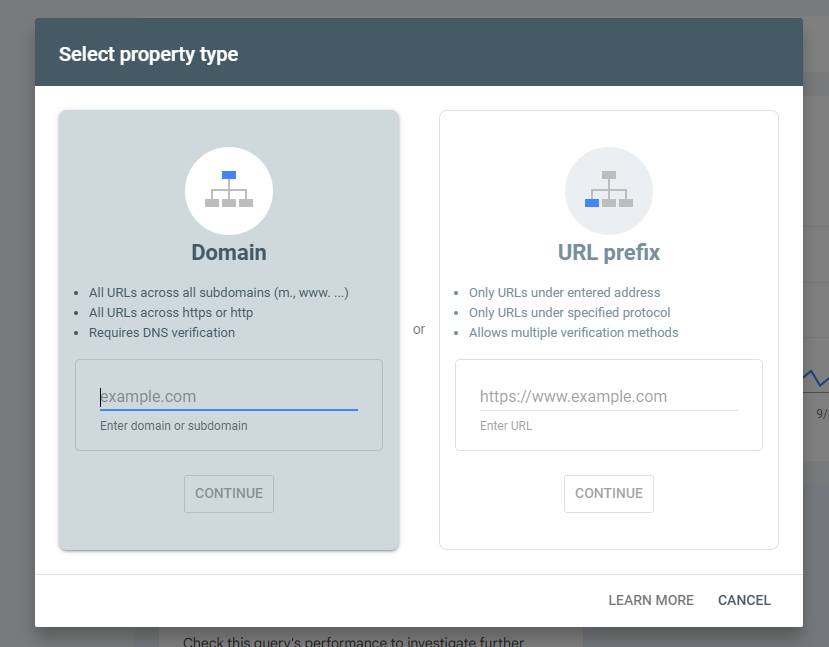
Head to search.google.com/search-console and click “Start now.” Add your website URL exactly as it appears in your browser: including https:// and whether you use www or not.
Step 2: Verify Ownership
Google needs to confirm you actually own the site. The easiest method for most marketers is HTML tag verification. Google gives you a small piece of code to add to your website’s header. If you have Google Analytics already installed, verification might happen automatically.
Step 3: Submit Your Sitemap
Once verified, submit your XML sitemap under the “Sitemaps” section. This tells Google about all the pages on your site that you want indexed. Most WordPress sites generate sitemaps automatically at yoursite.com/sitemap.xml.
The Five Reports Every Marketer Should Monitor
Search Console has dozens of features, but these five reports give you 80% of the actionable insights you need.
Performance Report: Your Search Traffic Command Center
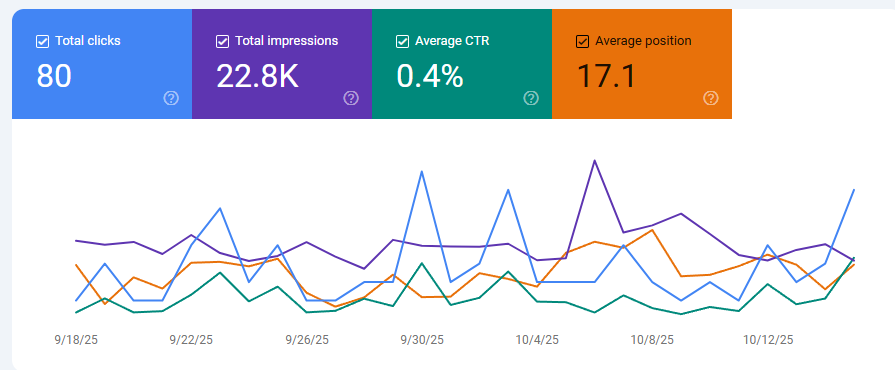
This shows clicks, impressions, click-through rates, and average positions for all your search traffic. Filter by individual pages, specific queries, or date ranges to spot trends and opportunities.
Pro tip: Sort by impressions to find keywords where you’re getting visibility but low click-through rates. These often need better title tags or meta descriptions.
Coverage Report: Your Site Health Check
This reveals which pages Google can and can’t index. Red errors mean pages that should be indexed but aren’t. Yellow warnings flag potential issues. Green shows successfully indexed pages.
Mobile Usability Report: Your Mobile-First Reality Check
Since Google uses mobile-first indexing, this report shows if your site works properly on mobile devices. Issues here directly impact your search rankings across all devices.
Core Web Vitals: Your User Experience Score
Google now includes page speed and user experience in ranking decisions. This report shows which pages pass Google’s performance thresholds and which need optimization.
Manual Actions: Your Penalty Alert System
If Google applies manual penalties for spam or guideline violations, they’ll show up here. Most sites never see manual actions, but when they happen, they can devastate organic traffic overnight.
Common Mistakes That Cost You Traffic
Even experienced marketers make these Search Console mistakes that leave growth opportunities on the table.
Ignoring Impression Data
Many marketers only look at clicks, but impressions tell the real story. High impressions with low clicks usually mean your titles and descriptions need work: not your rankings.
Not Filtering by Device Type
Desktop and mobile performance can vary dramatically. A page might rank well on desktop but poorly on mobile. Always segment your data to get the full picture.
Overlooking the “Queries” Tab
This shows the actual searches people use to find your site, often revealing keyword variations you never considered targeting. It’s like getting free keyword research directly from Google.
Setting Up Only One Property Type
Add both your www and non-www versions, plus http and https if applicable. This ensures you capture all your search data in one place.
Team Access and Permissions That Actually Work
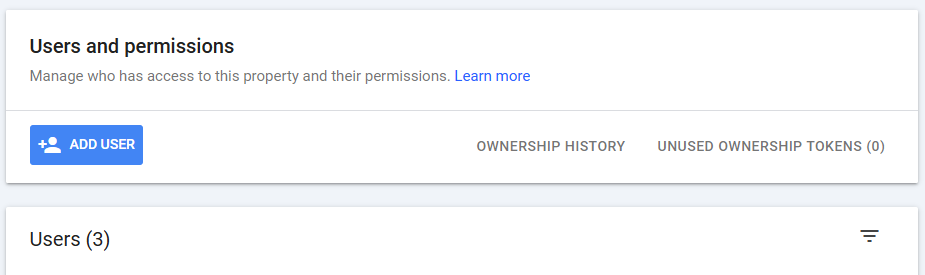
Search Console’s permission system lets you give team members appropriate access without opening security risks.
Owner Level: Reserve this for yourself and maybe one trusted technical person. Owners can delete properties and remove other users.
Full User: Perfect for your SEO specialist, content manager, or digital marketing coordinator. They can view all reports and submit content for indexing.
Restricted User: Good for executives or stakeholders who need performance visibility but shouldn’t make changes. They can see most reports but can’t take actions.
When adding team members, use their work email addresses and match permissions to their actual responsibilities. Too much access creates confusion; too little access creates bottlenecks.
Going Deeper: Advanced Resources
Ready to move beyond the basics? Here are strategic next steps:
For Technical Deep Dives: Google’s official Search Console documentation covers advanced features like structured data monitoring and international targeting.
For Strategic Context: Understanding why your Search Console impressions might be declining helps you separate normal fluctuations from real problems.
For SEO Foundation Building: Strong SEO foundations amplify everything you discover in Search Console.
For Integration Strategies: Connect Search Console data with Google Analytics for more comprehensive performance analysis.
Making Search Console Data Actionable
The real value isn’t in the data itself: it’s in how you use insights to drive marketing decisions.
Content Planning: Use query data to identify topics your audience actually searches for instead of guessing what they want.
Keyword Strategy: Find keywords where you rank 11-20 and optimize those pages to break into the top 10.
Technical Prioritization: Fix coverage errors that affect your highest-traffic pages first.
Competitive Intelligence: Track position changes to spot when competitors are gaining ground on your keywords.
ROI Measurement: Connect organic traffic improvements to actual business outcomes like leads and revenue.
The most successful marketers treat Search Console as their strategic compass, not just another reporting tool. They use it to make decisions about where to invest time and budget for maximum search visibility impact.
Your Next Move
Google Search Console transforms from overwhelming to essential once you focus on the reports that actually impact your marketing results. Start with the Performance report to understand your current search visibility, then expand into Coverage and Mobile Usability to identify quick wins.
Most marketers who ignore Search Console are essentially flying blind with their SEO investments: they’re optimizing without knowing what Google actually thinks about their site.
Ready to turn your search data into strategic advantage? Get in touch with our team to discuss how Search Console insights can accelerate your growth strategy, or start exploring these reports today and watch your organic marketing become dramatically more focused and effective.

chris
Insights on brand authority, positioning, and growth strategy from the Swift Growth Marketing team.